Form Response
Form Response functionality allows you to handle and process server-side responses after form submission. This feature enables you to manage different response scenarios, track entry status, and control the automation workflow based on server feedback.
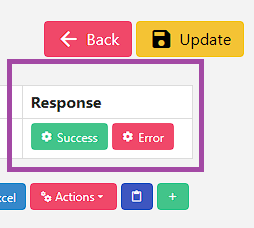
Overview
After filling and submitting a form entry, the server typically responds with either a success or error message. The Form Response feature allows you to:
- Track Entry Status - Monitor whether entries are successfully saved or failed
- Control Workflow - Determine next actions based on server responses
- Handle Errors - Manage error scenarios and retry logic
- Mark Entries - Automatically mark successful entries as saved
Response Types
Success Response
When a form entry is successfully submitted and saved by the server.
Characteristics:
- Confirmation Message - Server confirms successful data processing
- Success Indicators - Specific text, elements, or patterns indicating success
Common Success Indicators:
- "Thank you for your submission"
- "Your data has been saved successfully"
- "Form submitted successfully"
Error Response
When form submission fails due to server-side issues or validation errors.
Characteristics:
- Error Messages - Server returns specific error information
- Validation Errors - Field-specific or general validation failures
- System Errors - Server-side processing errors
Common Error Indicators:
- "Please correct the following errors"
- "Invalid data provided"
- "Server error occurred"
- Validation error messages
Integration with Automation
Workflow Integration
Form Response seamlessly integrates with the overall automation workflow:
- Form Filling - Complete form with data
- Form Submission - Submit form to server
- Response Monitoring - Wait for and detect server response
- Action Execution - Execute appropriate actions based on response
- Status Update - Update entry status and continue workflow
Next Steps


Tips and Tricks
Pro Tips
- Start Simple - Begin with basic text-based detection before advanced methods
- Monitor Performance - Keep track of response detection accuracy