Current Entry as Saved
The Current Entry as Saved field type marks the active spreadsheet row as completed based on detecting on-screen success messages, DOM elements, or JavaScript alerts without requiring a page redirect or URL validation.
TIP
Key Difference from Form Success Response: Unlike Form Success Response, this field type operates in-place on the active page without requiring a "Success Page URL" or URL matching rule.
When to Use
Use this field type when:
- The target application displays a confirmation banner, modal, or status element on the same page (Single Page Applications / AJAX form submissions).
- You want to mark the current
.xlsxrow as processed and update execution tracking immediately. - You need to trigger follow-up actions (e.g., clicking a button, running a segment, or reloading the form) upon successful submission.
Field Options
| Option | Description |
|---|---|
| Success Response Type | Detection mechanism used to locate the success indicator. |
| Enter Success Message | Text strings or patterns to match after the form is processed. |
| Delay Time Before Run Action | Waiting period (in milliseconds) before the follow-up action executes. |
| Action | Operation to trigger when the success message matches. |
Additional Configuration Options
| Option | Description |
|---|---|
| If excel data is not found then don't execute the action | Skips action execution when spreadsheet records are unavailable. |
| If last excel entry completed then don't execute the action | Halts follow-up execution once the final row of the dataset is processed. |
| If there is no Excel data, update only scraper data in Excel | Updates only scraped fields in the workbook when standalone templates are used. |
| Can success message be anything in this element | Wildcard mode matching any text rendered inside the target element. |
| Remove excel column value from current entry? | Clears the processed value from extension memory after submission. |
| Set custom message after success message matched? | Logs a custom note in extension logs instead of the raw web message. |
Success Response Types
Choose how the extension identifies completion:
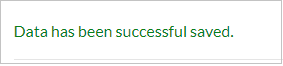
1. Matching Message In Page
Searches visible page content or a specific DOM container for the success message.
- Message Selector Query (Optional): Limits the search scope to a specific banner, toast, or status container.
2. Matching Message In Browser Alert
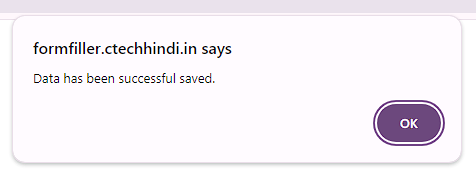
Detects success confirmations that appear inside native browser JavaScript alert() dialogs.
TIP
Enable Hide JavaScript Dialog in Extension Settings to dismiss confirmation alerts automatically.
3. Matching Message In Page Element Value
Inspects the value attribute of input, hidden, or readonly fields (e.g., an order ID or confirmation input).
- Required Parameter:
Message Selector Querypointing to the target element.
4. Checking Element Exists In Page
Marks the entry as saved whenever a specific element appears in the DOM.
- Required Parameter:
Message Selector Querytargeting the success element (e.g.,.order-confirmed-checkmark). - Condition: The target element must only be mounted or rendered upon successful submission.
Enter Success Message
Enter the target text strings to match. You can configure multiple candidate phrases; if any phrase matches, the record is marked saved.
- Dynamic Column Variables: Inject spreadsheet values using
{$ColumnName$}tags (e.g.,Thank you {$Name$}, your response was recorded). - Partial Matching: Providing
"Thank you"matches any string containing"Thank you".

Delay Time Before Run Action
Specifies a timeout in milliseconds before executing the configured follow-up action.
Conversion
1000 milliseconds = 1 second
Follow-up Action Execution
Select what occurs once the success state is verified:
| Action | Execution Behavior |
|---|---|
| Redirect to Page | Navigates the active tab to a designated URL. |
| Re-Execute Form | Restarts the form workflow with the next spreadsheet entry. |
| Click on Button | Dispatches a click on a specified button (e.g., "Submit Another Response"). |
| Page Reload | Refreshes the active browser tab. |
| Execute Segment | Triggers execution of a modular Segment routine. |
Important Execution Rule
CAUTION
Placement Constraint: When this field executes, all subsequent fields below it in the form list are bypassed. Always place Current Entry as Saved at the very bottom of your form field sequence.
[Field 1: Name Input]           ──> Executes
[Field 2: Email Input]          ──> Executes
[Field 3: Submit Button]        ──> Executes
[Current Entry as Saved]        ──> Marks Row Saved & Triggers Action
--------------------------------------------------------------------
[Field 4: Any Lower Field]      ──> DOES NOT EXECUTE (Bypassed)


